
BOMBitUP : SMS & Call Bomber for Android (v4.7) 2026

Bombitup is a popular prank app on Android designed for sending mass text messages to friends, family members, or acquaintances. It is primarily a SMS bomber that allows users to send multiple messages to a target phone number anonymously.
| BOMBitUP App Details | |
|---|---|
| Size | 9.7 MB |
| Version | v4.7 |
| Downloads | 130 Million+ |
| Usage | Prank App |
| OS Required | Android 5.0+ |
| Launch Year | 2019 |
| Last Updated | JUNE, 2026 |
| Price | Free |
You can use Bombitup Protection feature to safeguard yourself from bombing to keep your inbox clean and secure.
Features
Bombitup offers several distinctive features that make it popular among users looking for pranking apps & tools:
- Anonymous Messaging: Send messages without revealing your identity.
- Mass Texting: Ability to send hundreds of SMS messages to a single recipient.
- Customisation Options: Control the frequency and quantity of messages.
- Call Bombing: Some versions include prank call capabilities.
- Email Pranks: Certain variants offer email bombing functions.
- WhatsApp Blast: The latest version of Bomitup features WhatsApp blast where in you can send hundreds of custom text to your buddies directly on their WhatsApp.
- Easy to Use: This a user-friendly app. It is super easy and convenient to download, install and use this app. Just download it like any other android app and start pranking your friends.
The app is primarily designed for entertainment purposes, allowing users to create harmless pranks. It's important to note that responsible usage is encouraged to avoid harassment or disruption.
How to Download Bombitup APK?
Downloading BombitUP APK requires following specific steps to ensure you get the latest version.
We've compiled straightforward methods to help you download BOMBitUP SMS bomber app safely from trusted sources.
To download Bombitup APP directly, start by visiting the official Bombitup website or an alternative trusted platform like Bombitup.click.
Click on the download button below
Once downloaded, you'll need to enable installation from unknown sources in your Android settings. Go to Settings > Security > Unknown Sources and toggle it on.
Locate the downloaded APK file in your device's Downloads folder.
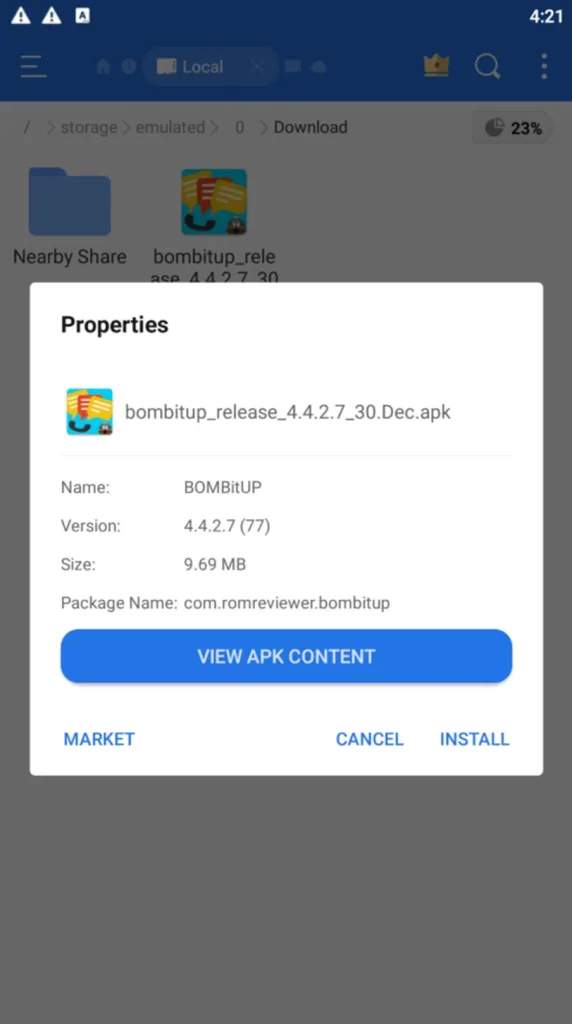
Tap on the file to begin installation. When prompted, click "Install" and wait for the process to complete.
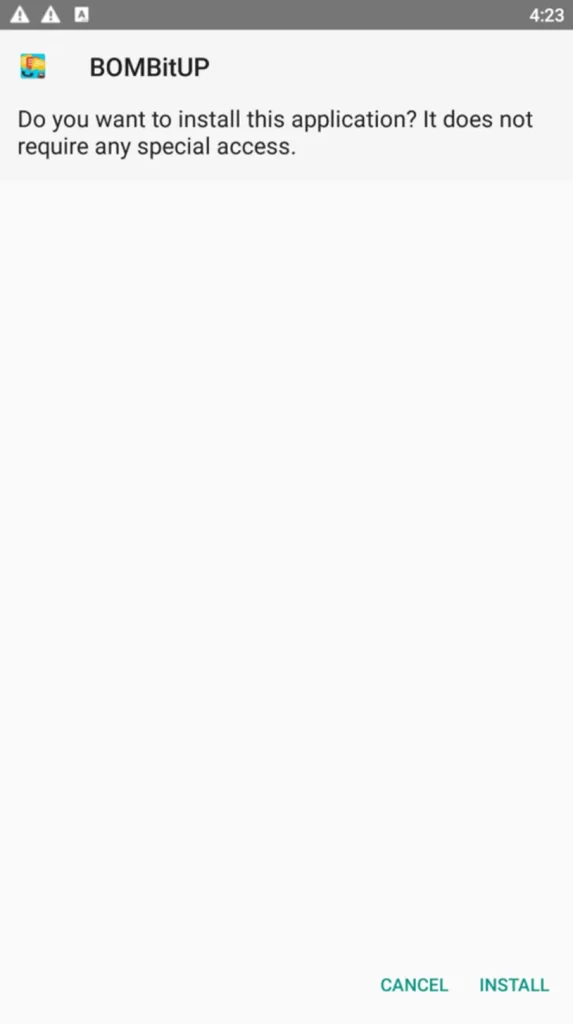
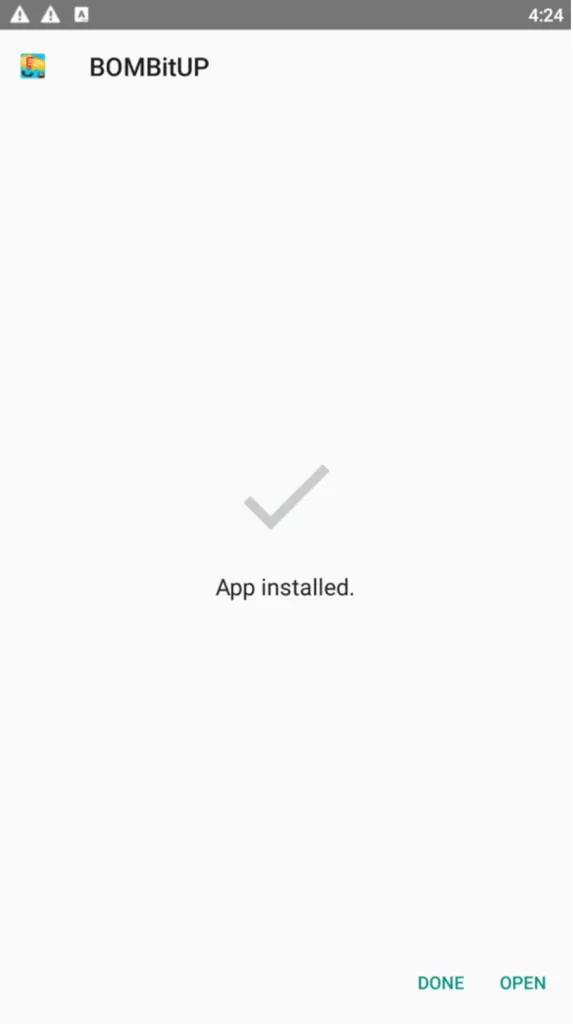
After installation, you can open the app and set it up for use. The latest version (4.4.3.5) offers improved functionality and fewer bugs compared to previous releases.
Installation Guide
Installing Bombitup requires enabling "Unknown Sources" on your device before proceeding with the installation.
We've outlined steps for both Android smartphones and PC installations using emulators.
First, you'll need to download the Bombitup APK file to your Android device. Before installation, you must enable installation from unknown sources:
- Go to your device Settings
- Navigate to Security or Privacy (location varies by device model)
- Toggle on "Allow installation from unknown sources" or "Install unknown apps"
Once unknown sources are enabled, locate the downloaded APK file in your Downloads folder. Tap on the file to begin installation. When prompted, click Install and wait for the process to complete.
After installation finishes, you'll see an "Open" button. You can either tap this to launch Bombitup immediately or find the app in your app drawer later.
How Bombitup Works?
The working of Bombitup is relatively straightforward. After installation, users select a target phone number and specify the number of messages they wish to send.
The app then utilises various SMS gateways and services to deliver multiple messages in rapid succession. This creates a "bombing" effect where the recipient's phone is flooded with notifications.
BombitUp app for bombing leverages bulk SMS technology to distribute messages quickly and efficiently. The process typically works by:
- Entering the target phone number
- Selecting message quantity (often 10-200+ messages)
- Initiating the bombing sequence
- Messages are then delivered through different channels simultaneously
We recommend using this app only with friends who appreciate pranks and with their consent.
How to Use Bombitup for SMS Bombing?
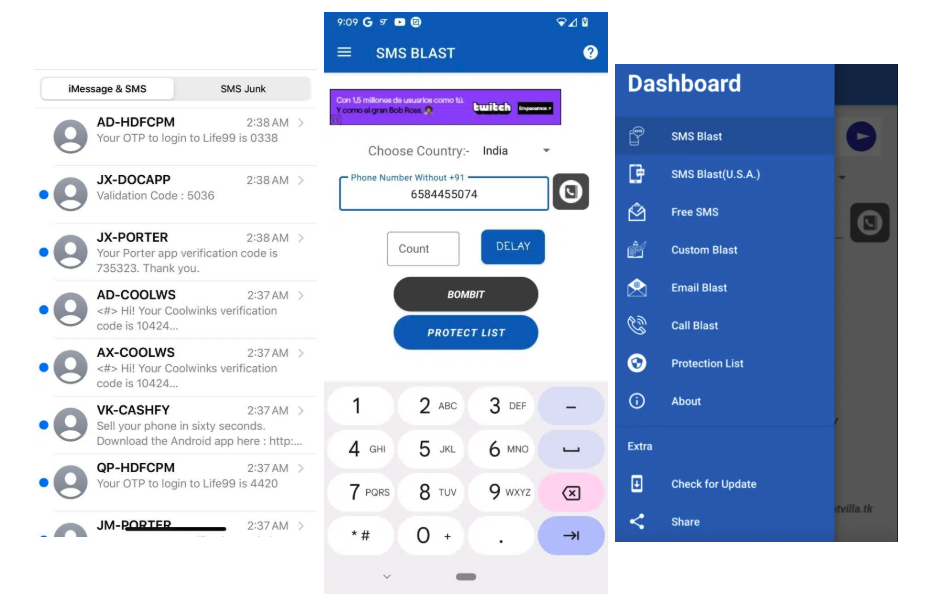
Bombitup APK provides powerful SMS bombing capabilities that enable users to send multiple text messages efficiently.
The app offers customisation options and advanced features designed for pranking friends or testing phone systems.
Send Unlimited SMS
With Bombitup APP, we can send virtually unlimited SMS messages to any phone number. The platform doesn't impose strict limitations on message quantity, making it ideal for prank situations. Users simply need to enter the target phone number and select the number of messages they wish to send.
This SMS bomber app connects to multiple SMS services simultaneously to ensure message delivery even if some services are blocked. This multi-channel approach increases delivery success rates significantly.
We've observed that this prank app can handle sending hundreds of messages in a single session without encountering performance issues. The app's efficient design prevents system slowdowns even during intensive use.
Remember to use this feature responsibly and only with consent to avoid potential legal issues.
Customise SMS Sending Speed
Bombitup offers control over SMS bombing speed, allowing users to adjust how quickly messages are delivered. This feature helps prevent carrier detection systems from blocking the messages.
Users can select from several predefined speed settings:
- Slow: 1-2 messages per minute
- Medium: 5-10 messages per minute
- Fast: 15-20 messages per minute
- Ultra: 25+ messages per minute
The customizable speed settings make it possible to create different types of pranking experiences. For subtle pranks, a slower delivery rate works best, while quick bursts of messages create more immediate impact.
We recommend starting with medium speed to test how the recipient's carrier handles the message volume before increasing to faster rates.
Bulk Messages Feature
The bulk messages feature in Bombitup allows sending different message content in sequence rather than repeating the same text. This creates a more realistic messaging experience that's less likely to be filtered.
Users can prepare a list of custom messages, and the app will cycle through them automatically.
The feature supports:
- Importing message lists from text files
- Random message selection from your prepared list
- Message personalisation with the recipient's name
- Emoji and special character support
We find this approach particularly effective for creating convincing pranks since message variety appears more natural than identical repeated texts. The bulk feature also supports scheduling, so messages can be spread across specific timeframes.
For best results, we recommend creating at least 10-15 different message variations to ensure sufficient variety during extended bombing sessions.
BOMBitUP Online
Use our below tool to bombit up SMS and bomb it online,
Common Inquiries
How do I stop unwanted messages?
Add your number to the Protect List to block it from being targeted through this platform.
What is the Protect List?
The Protect List keeps your number safe by preventing bulk SMS or call activity from this service.
How do I stop an active blast?
Use the Stop Sending button shown during the process to end delivery right away.
Are call and email blasts included?
Yes, the latest version includes call and email options for multi-channel sending.
Does the service ever go offline?
The platform is built for stable performance and is designed to stay consistently available.
What is the intended use?
This tool is meant for lighthearted use. Always follow local laws and use it responsibly.
Can I remove a number from the Protect List?
Yes, protected numbers can be removed easily from inside the application settings.
Is WhatsApp bombing possible?
The platform also supports WhatsApp alongside SMS, calls, and email for broader functionality.